
What's Changing
We're updating how featured media displays across our distribution network. Previously, a story could show a rotating carousel of media like multiple images, videos, and audio files — and depending on where that story ended up (a partner site, a search result, a social preview), different endpoints could pull different content, or the same content in a different spot.
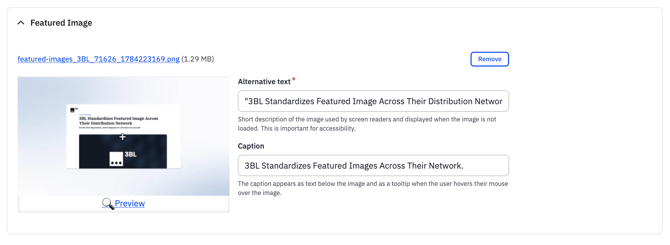
Going forward, every story has one dedicated Featured Image field. That single image is what every endpoint pulls, so your content looks the same no matter where a reader encounters it.
Why We're Making This Change
Consistency matters most in the moments you don't control directly — a partner site rendering your story, a search engine generating a preview card, a social share. A single, predictable Featured Image means your brand shows up the same way in all of them.
What Happens to Your Existing Content
You won't need to do anything for content you've already published or drafted — it's migrated automatically:
- The first image in your existing carousel becomes your new Featured Image.
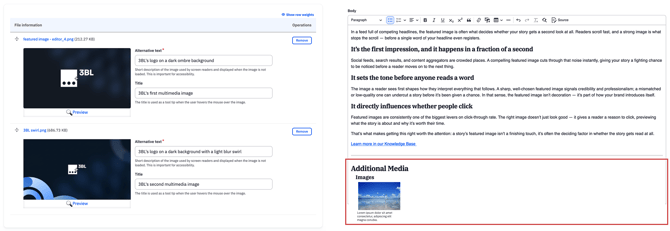
- Any additional carousel files are preserved and moved to a linked list at the bottom of the story, rather than disappearing. For any media changes during this time, reach out to the Content Desk with your request.
- If your original carousel didn't lead with an image (e.g., a video or PDF came first), we scan forward and use the first image file we find.
- If a story has no featured media at all, it will stay the same. In places where your content is presented in a preview format e.g., the 3BL Media homepage, we will display either your logo or fallback to 3BL's logo if you don't have one on file so nothing displays blank.
What You Need to Do
Nothing is required for existing content. For anything new you publish going forward, use the Featured Image field directly — see How do I add a featured image to my content? for step-by-step instructions.
You may notice layout changes to older content during the transition — that's expected and part of the rollout.
FAQ
What happened to the image carousel? Featured content now uses a single dedicated image instead of a rotating carousel, so it displays consistently across every distribution endpoint.
Will this affect content I've already published? Existing content, even in draft, is migrated automatically — see "What Happens to Your Existing Content" above. You don't need to re-publish or edit anything for the migration itself to take effect.
Do I need to pick a new Featured Image for old content? No, but you can update it any time if the auto-selected image (the first from your old carousel) isn't the one you'd choose. Note: edits to the Featured Image update immediately on 3blmedia.com, but won't change on endpoints where the content has already been distributed.
What if my content has no image or logo at all? Your client logo displays as a fallback. If there's no client logo on file, 3BL's logo displays instead — so your content never shows a blank space where the featured media would be.
Can I still add images, videos, and audio to my story? Yes, multimedia files are still available for use in the body of your content. For a full list of accepted media types, refer to 3BL Content Editor: Formatting, Media, and HTML Specifications.
Where do I go for step-by-step instructions on the new field? See How do I add a featured image to my content? in the Knowledge Base.